

Connect in 3 steps: Findora Feed, one line of script and the purchase call
The same process for PrestaShop, WooCommerce, Shopify or a custom site. One XML, one line of script, one call on the order confirmation page.
Most search services have a different process for each platform. Findora has one, the same for all of them. The platform modules simply carry out the same three steps automatically.
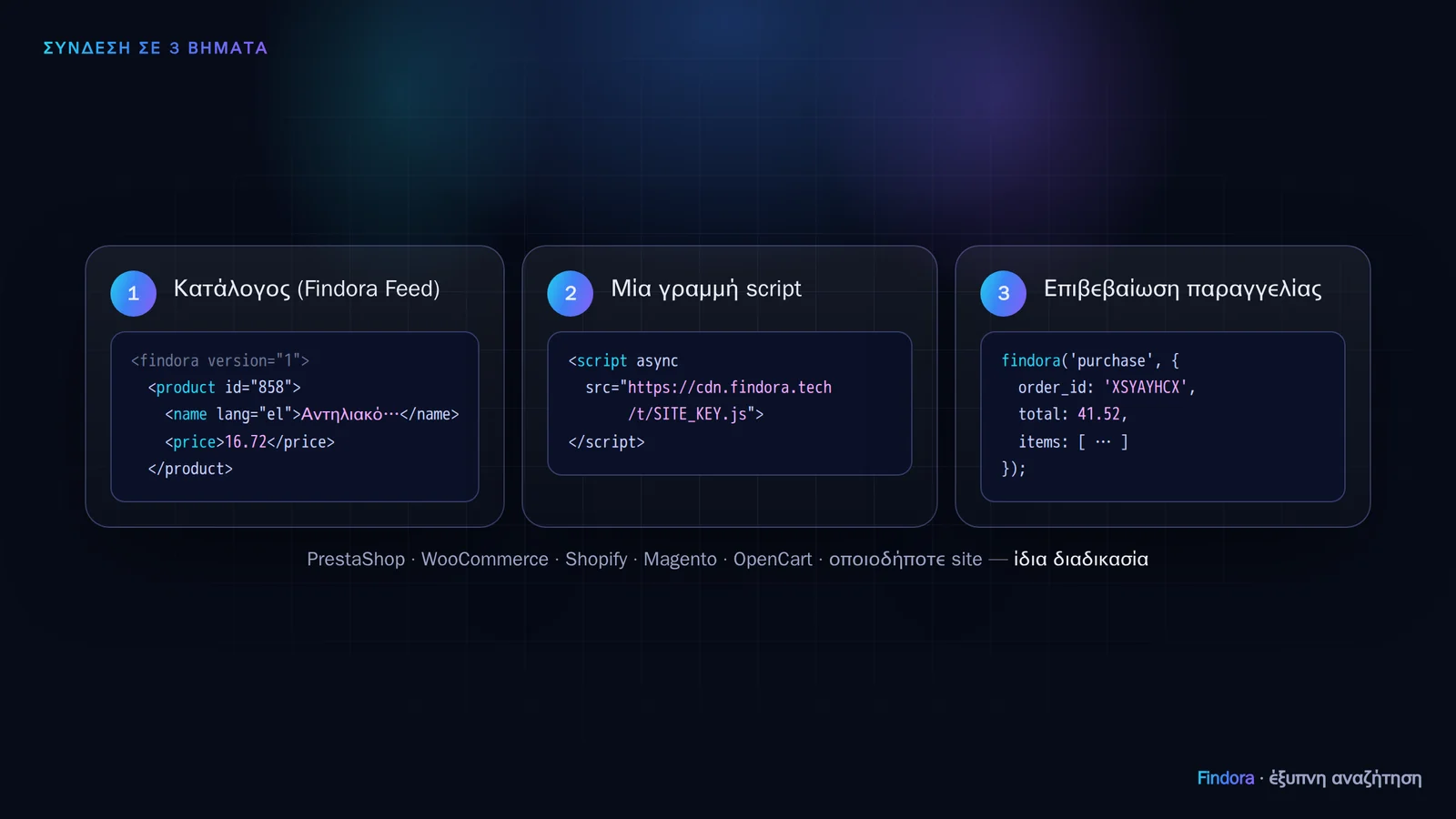 One catalogue XML, one line of script, one call on the order confirmation page.
Step 1: Catalogue (Findora Feed)
You publish a URL with an XML of your products, in a simple, documented format: name in each language, price (final, including VAT), availability, image, categories, brand, barcode. Findora reads it automatically every 60, 15 or 5 minutes depending on your plan, and only downloads it when something has changed.
For instant price and stock updates, you can also publish a second URL containing only the changes (delta), or notify Findora (ping) whenever something changes. Changes show up within seconds.
Protection against a faulty feed: if a feed suddenly arrives with 30% of the products missing, Findora deletes nothing; it keeps the previous catalogue and alerts you. Faulty products (with no price or name) are rejected individually, with a report in the portal.
Step 2: One line of script
<script async src="https://cdn.findora.tech/t/SITE_KEY.js"></script>
It goes on every page. The script finds the search box and displays the dropdown and the results. It only works on the domains you have registered.
Step 3: The purchase call
On the “Thank you for your order” page, a single findora('purchase', {...}) call with the order ID, total and products. This is how you measure revenue from search. For maximum reliability, the same call can also be made from your server, with a signature.
Platforms
For PrestaShop, WooCommerce and OpenCart (3.0.x and 4.x) and Magento 2 there is a ready-made add-on that does everything automatically: you download it from the portal with your keys already included. For custom sites, your developer only needs the Findora Feed and the script line, with a feed validation tool in the portal. Shopify is next: see the integrations.
Want to see how it would work with your own catalogue? Request a demo.