

Findora for Magento 2: smart site search with one module
The Findora module for Magento 2 connects your catalogue, the search script and orders automatically, in every language of your store.
Stores on Magento 2 can now connect to Findora just like PrestaShop, WooCommerce and OpenCart stores: with a module that completes all 3 steps automatically (catalogue, script, orders).
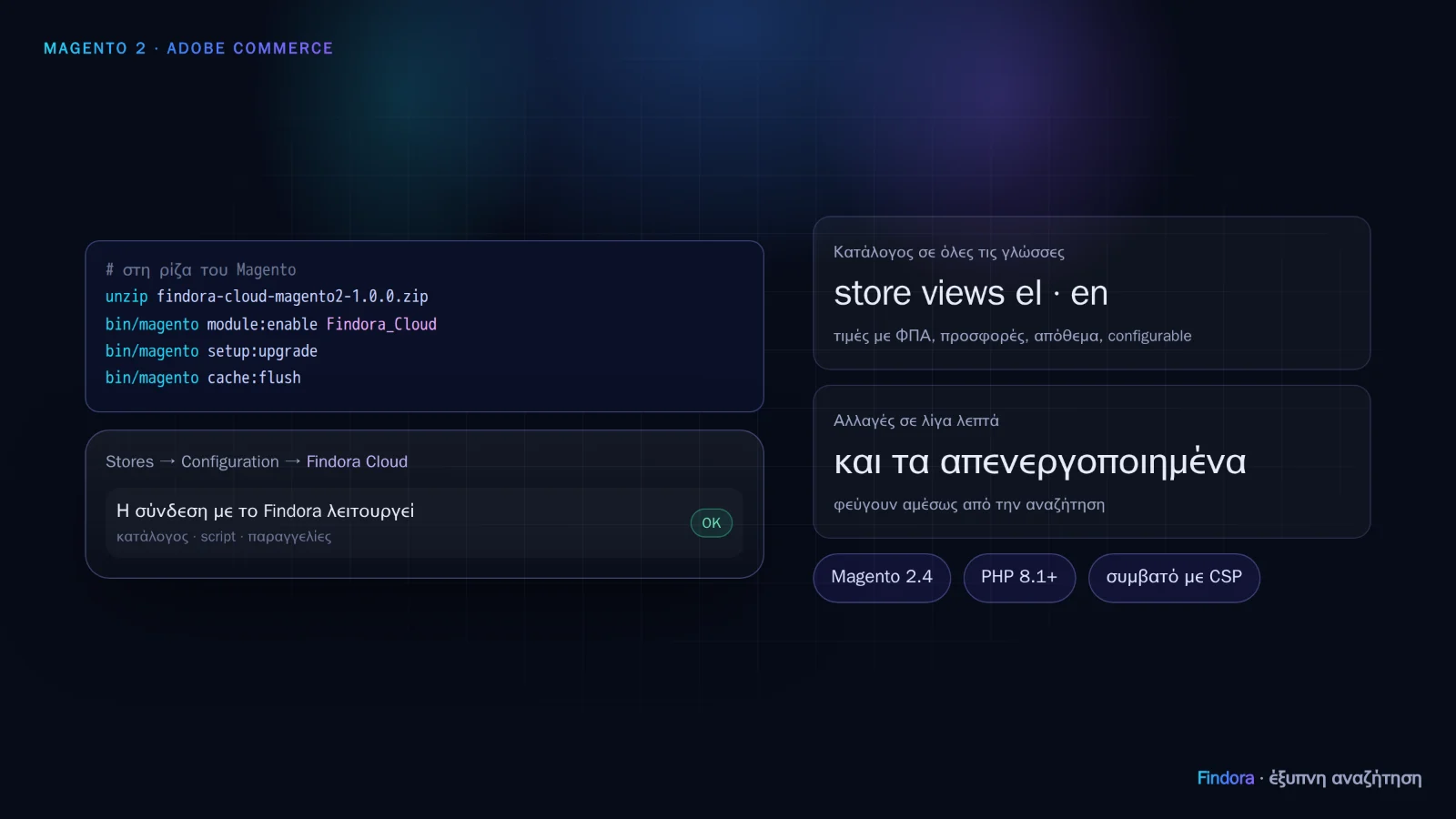 Installation with the Magento commands and the connection status in the settings.
Installation
- In the portal, my.findora.tech → Installation, download the Magento package; your store's keys are already inside.
- Unzip it in the Magento root (it creates
app/code/Findora/Cloud). - Run
bin/magento module:enable Findora_Cloud,bin/magento setup:upgrade(in production mode alsosetup:di:compile) andbin/magento cache:flush.
During setup:upgrade the module reads the keys, deletes the key file and tells Findora to read your catalogue right away. If you forget the zip in a public folder of the server, it deletes it itself.
What it does
- Catalogue in every language: each store view (e.g. Greek and English) with its own names, descriptions and URLs.
- Correct prices: including VAT, with special prices and catalogue price rules as a visitor sees them.
- Configurable products as one product with its variants (e.g. sizes), plus categories, brand and EAN.
- Changes within minutes: prices, stock after an order, new products — and disabled or deleted products leave the search in the same time.
- Add to cart from the results without leaving the page, with the mini-cart updated.
- Orders from the confirmation page and from the server, so revenue from search is measured correctly.
- Compatible with Magento's Content Security Policy, which is mandatory on payment pages since 2.4.7.
Settings
Under Stores → Configuration → Findora → Findora Cloud you see the real connection status, the feed URL and the Connection test, New feed token and Open portal buttons. There you can also choose which attribute holds the brand or the barcode, if they are not detected automatically.
The module was tested on Magento Open Source 2.4.9 with the Luma theme and is written for versions 2.4.6 to 2.4.9. New versions are installed with a new zip from the portal and another setup:upgrade.
Want to see how it would work with your own catalogue? Request a demo or get started.