

The dropdown that sells: what customers should see before they press Enter
Most customers decide inside the dropdown. Two columns, photos, prices, discounts and “Add to basket” without leaving the page.
In a good e-shop, the customer often never reaches the results page. They find what they want in the dropdown while they type, and click on it. That's why Findora's dropdown is designed as a “mini shop”, not a list of words.
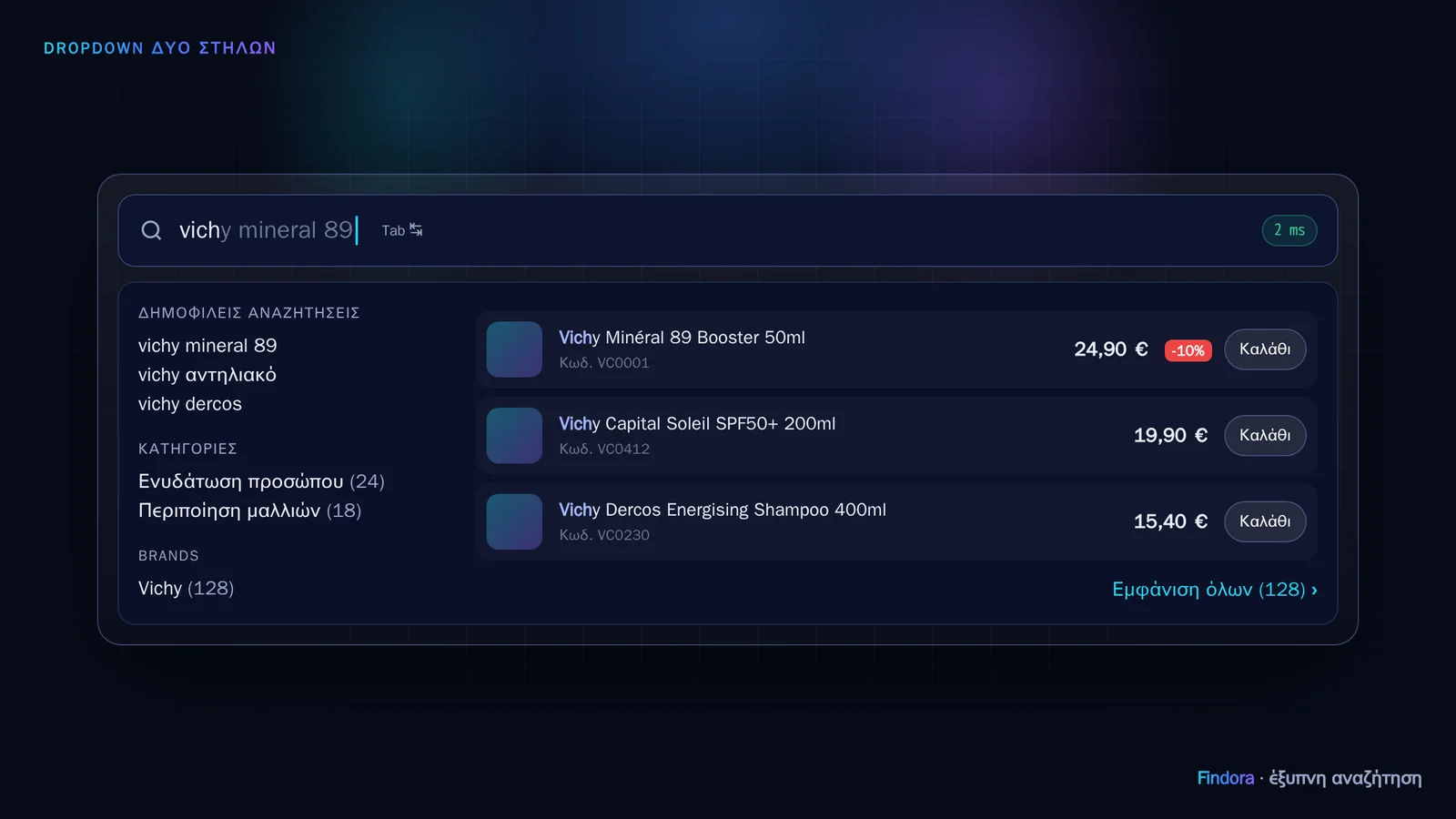 On the left, popular searches, categories and brands. On the right, products with price, discount and “Basket”.
The elements that make the difference
- Two columns: on the left, popular searches, categories and brands with product counts; on the right, the most relevant products.
- Information for deciding: photo, name with the matching part in bold, product code, price and discount badge.
- “Add to basket” without leaving the page: for quick purchases.
- Completion inside the field: the most likely search appears in grey. The customer accepts it with Tab or →.
- Before they type: as soon as they click in the field, they see their recent searches and the shop's popular ones.
- “Show all (N) ›”: for anyone who wants to see all results, with filters.
Fast and accessible
The dropdown appears as the customer types: the engine responds in milliseconds and the script cancels old requests, so it never “lags”. It supports full keyboard navigation and screen readers, never goes off screen, and takes up the full width on mobile.
Configured from the portal
From my.findora.tech you set how many products are shown (3–12), colours and text, without touching any code. All of Findora's CSS has its own prefix, so it never clashes with the shop's theme.
Want to see how it would work with your own catalogue? Request a demo.