

Your team on Findora: roles, 2FA and invitations that users accept themselves
Give access to marketing, accounts or an external partner, with the right role. Each shop sees only its own data, and no access is activated without the user's consent.
An e-shop using Findora usually has more than one person working on it: the owner, the marketing team creating search rules, the accounts department downloading invoices, perhaps an external partner too. The my.findora.tech portal gives each of them what they need, and nothing more.
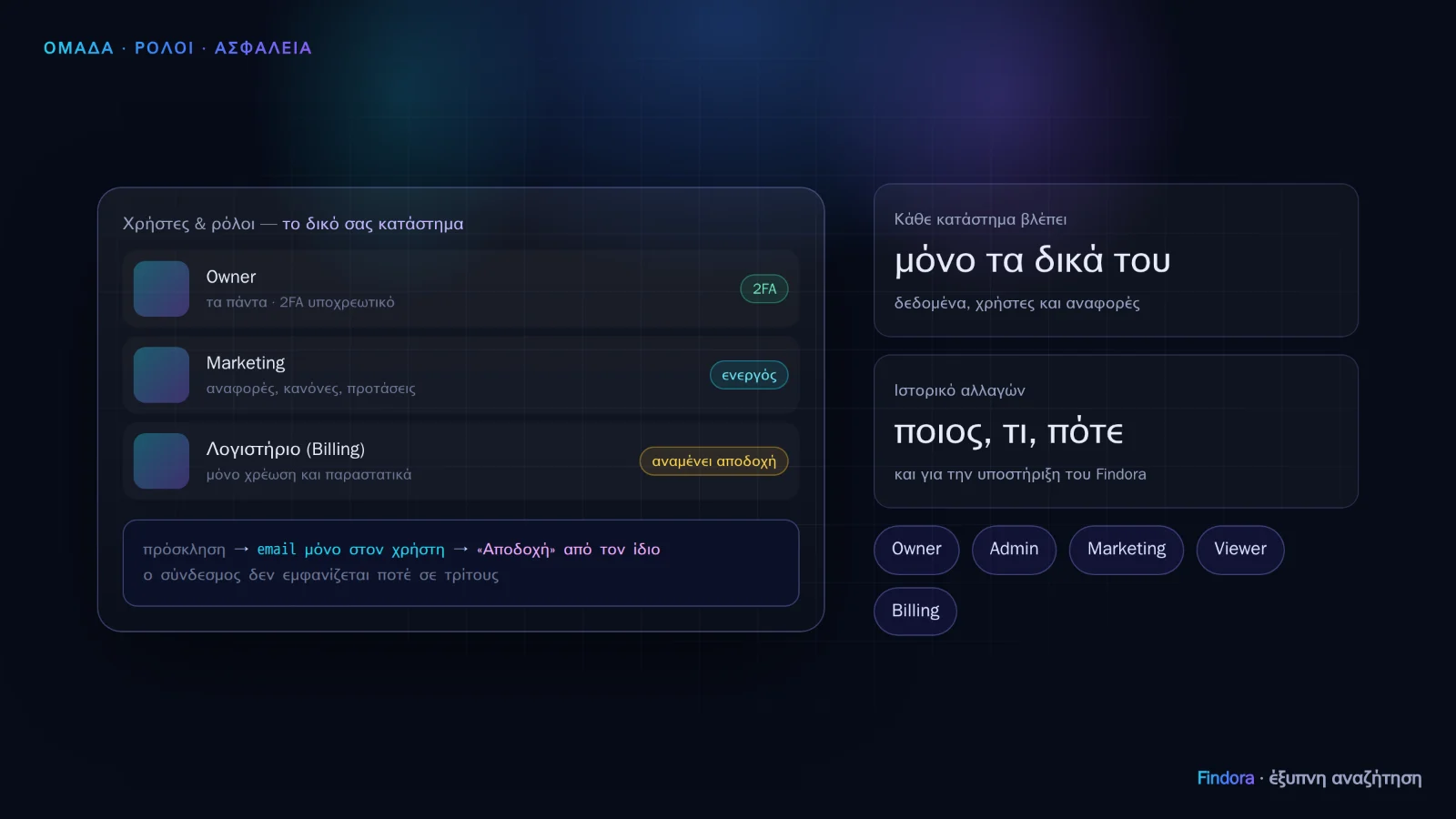 Each user has their own role; new invitations stay “pending” until the user accepts them.
Five roles
- Owner: everything, including billing, users and deletion.
- Admin: settings, installation, keys, dictionaries, rules and users. Not billing.
- Marketing: reports, rules and suggestions, without changing settings.
- Viewer: read-only.
- Billing: billing and invoices only.
Owner and Admin must sign in with two-step verification (2FA). The number of users depends on your plan.
Invitations with consent
On the Users & roles page you click Invite user and enter an email, name and role. From then on:
- The activation link goes only to the user's email; it is never shown on screen, not even to you.
- Access is activated only when the user accepts it themselves, via the link or with “Accept” inside the portal if they already have an account. Until then the list shows “Awaiting acceptance”.
- Before acceptance, the shop sees nothing from the user's account: only the email, name and role that the shop itself entered.
- A new password closes all open sessions on the account.
Each shop sees only its own data
Searches, orders, products, reports, users: every page of the portal shows only the shop you are signed in to. The examples and images in the manual come from a demo shop with synthetic data, never from other customers.
You can see what changed
The Change history records who changed what and when. If Findora support needs to enter your portal to help, every action they take is recorded there as “Findora Team (CloudOn)”.
Our servers are in the European Union and we do not keep personal data about your shop's customers. More in our Privacy policy.
Want to see how it would work with your own catalogue? Request a demo or get started now.