

12 KPIs: how to really measure revenue from site search
How many orders started with a search? Which searches are “losing” sales? The 12 KPIs in the portal answer with numbers.
“Is search working well?” Without numbers, the answer is just an opinion. The my.findora.tech portal shows 12 indicators in three groups, compared with the previous period, and a click opens the detailed report.
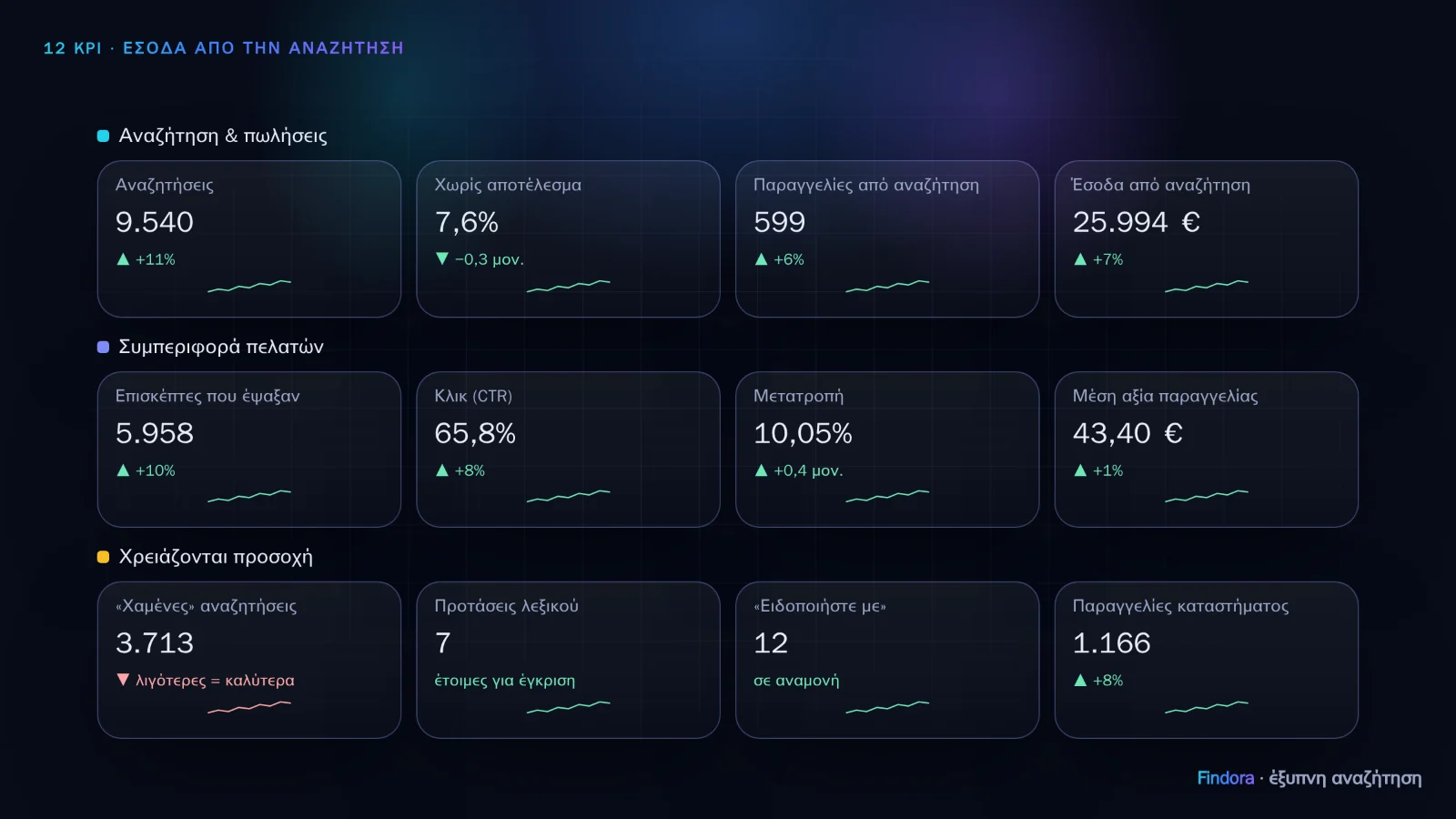 The 12 KPIs in three groups, as in the portal’s Overview (illustrative figures).
Search & sales
- Searches: completed searches, not every keystroke, excluding bots.
- Zero results (%): the most direct indicator of “lost” customers.
- Orders from search: orders containing at least one product the customer found via search up to 7 days earlier, and their share of the shop's orders.
- Revenue from search: the value of those products, and their share of turnover.
Customer behaviour
- Visitors who searched.
- Clicks on results and CTR.
- Conversion: orders from search per visitor who searched.
- Average order value and units.
Need attention
- Searches that “lose” sales: they have results but nobody clicks.
- Pending dictionary suggestions, approved with one click (coming soon; until then the indicator shows no value).
- Pending “Notify me” requests: customers waiting for a product or brand (coming soon; until then the indicator shows no value).
- Shop orders: total and turnover, for comparison.
How orders are measured
A single command, findora('purchase', …), goes on the order confirmation page. For reliability, the same information can also be sent from the shop's server, so that orders are not lost when the browser blocks scripts. No personal customer data is stored, only the order number, products and amounts.
The core indicators are available on all plans. Revenue reports with export and the weekly email report are on the Pro and Enterprise plans.
Want to see how it would work with your own catalogue? Request a demo.