

Semantic search: when shoppers type what they need, not the product name
"Something for cramps", "chapped lips": Findora's semantic search turns the question into products from your catalogue. Pro and Enterprise.
A large share of zero-result searches in an e-shop are not typos. They are questions: the shopper types what they need, not what the product is called. "Something for leg cramps" contains no word that appears in the name of a magnesium supplement.
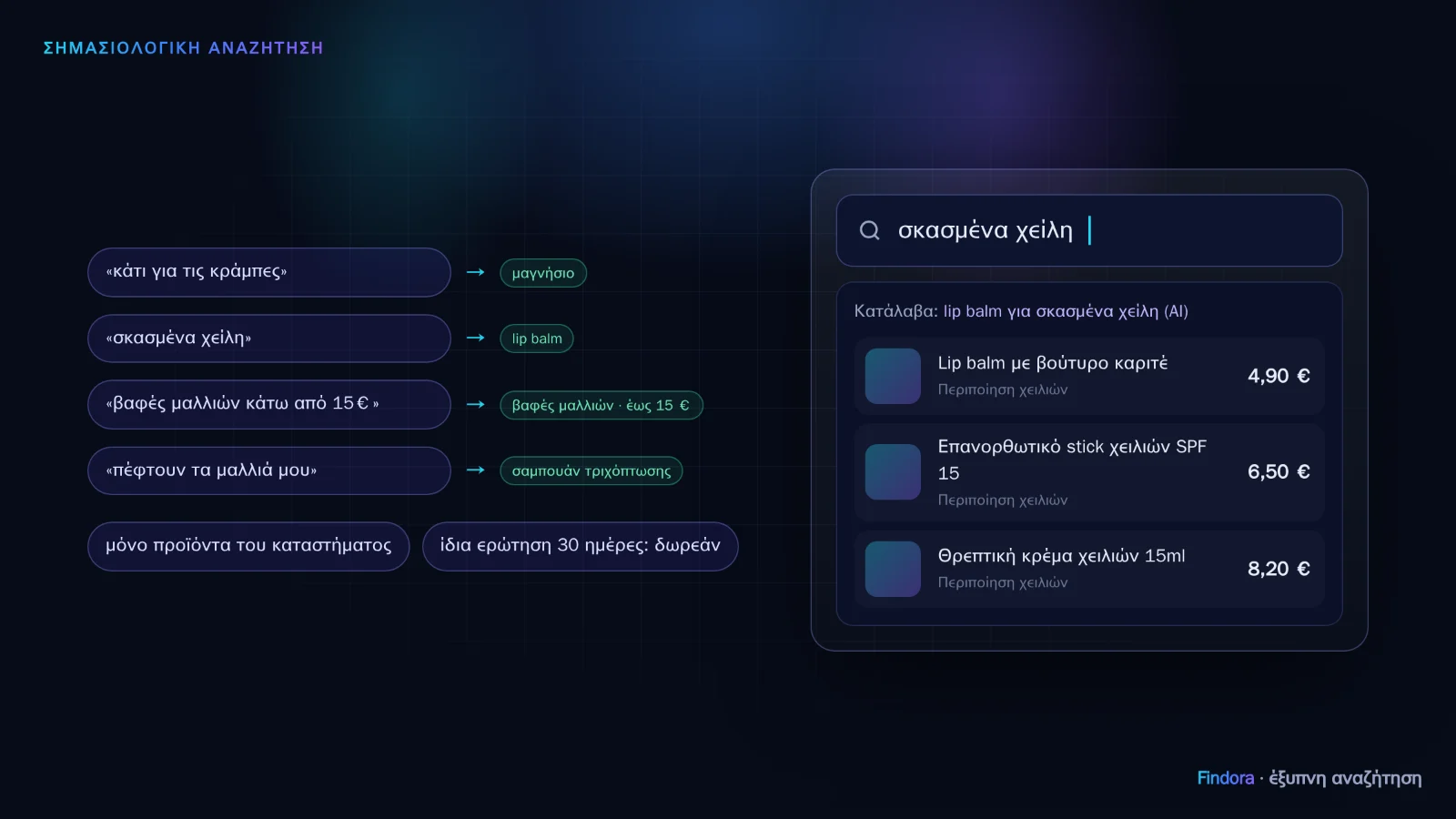 The question becomes product terms and the results come from your own catalogue.
How it works
- The shopper types the question and presses Enter.
- Findora's regular search runs first. If it finds enough results, AI is not needed and nothing is charged.
- AI steps in when the shopper types a sentence ("my scalp itches", "my baby has colic"), or when the regular search finds few or irrelevant results (e.g. only one word of the question matches). It understands the need and "translates" it into product terms: "cramps" → magnesium, "chapped lips" → lip balm, "my hair is falling out" → hair loss shampoo.
- The terms are searched in your catalogue and AI keeps only the products that really fit, in order of suitability (not those that merely look similar). The results show "Understood: … (AI)", so the shopper knows what we found. It works in the Findora results window and on your theme's search page (PrestaShop).
A price limit in the question ("hair dye under €15") is kept.
What it doesn't do
- It doesn't run on every keystroke. Only when the shopper presses Enter, so you don't pay for half-typed words.
- It doesn't invent products. Only products from your store appear. If you have nothing relevant, we don't fill the page with unrelated items.
- It doesn't suggest what you've excluded. Your "categories not recommended" (e.g. medicines) stay out.
Cost
- Available in the Pro and Enterprise plans.
- Charged to your AI credits only for each new question. The same question (from any shopper) within 30 days is answered from memory, free.
- Turn it on in the portal: Settings → Features. If AI credits run out, it switches off by itself and search keeps working normally.
See also search by photo.
Want to see how it would work with your own catalogue? Request a demo or get started now.